With PHP ranking among the most in-demand programming languages globally, the ecosystem of tools built around it has never been more robust. Whether you’re a seasoned developer or just getting started, choosing the right IDE or development environment can significantly impact your workflow, code quality, and overall productivity. The challenge, however, lies in identifying which tools are truly worth your time. As part of our web app development services, Arpatech relies on industry-leading tools to build powerful, scalable PHP applications for clients across industries. In this blog, we break down the 10 best PHP development tools that are making a real impact for developers today.
Here are some of the PHP development tools that will make a huge impact in 2019, and beyond.
Many PHP web application development services rely on this important tool. Equipped with a set of features that help in quick web development, PHPStorm is the best IDE for PHP developers. PHPStorm, the best PHP coding software, works well with important frameworks such as Symfony, Zend Framework, Yii, CakePHP, and Laravel. It even supports the main Content Management Systems (CMS) like Drupal, Magento, and WordPress.
No web development project is complete without front-end technologies. And that’s where PHPStorm comes in handy, enabling live editing of front-end technologies including CSS, Sass, HTML5, CoffeeScript, TypeScript, JavaScript, Stylus, Less, and more. And with regard to the best tools for PHP developers, the tool provides access and integration with robust version control systems. The popularity of PHPStorm can be realized from the fact that technology behemoths like Yahoo, Expedia, Cisco, Wikipedia, and Salesforce have bought the PHPStorm IDE licenses.
One of the best PHP IDE development tools, PhpStorm, is meant to cater to all your PHP-related needs and wants, whether it is full JavaScript, CSS, or HTML support.
WebStorm is designed for all those explicit JavaScript developers. Usually, Node.js is not very appreciated by PHP developers; however, related plugins can easily be installed for free in PhpStorm.
WebStorm and PhpStorm updates are mostly available twice a year, although minor updates or bug fixes are often issued periodically if necessary.
Since it is cited that the IDEA platform assists language (be it JS, PHP, Ruby, Java, etc.), it conveys the idea that IDE features will work with all the valid codes in that specific language and even throughout. Nevertheless, some advanced features will still require a particular kind of handling with a specific framework. Such libraries that need fine features are stated in the road-map; other than that, everything else is expected to work as it is.
Therefore, try to develop your project in PhpStorm, one of the best PHP coding software.
You can use the issue tracker to find any search requests, vote for them, and even track the whole process.
IntelliJ IDEA stays with JetBrains’ products and IntelliJ IDEA 9+, presents full PHP help together with all other points of PhpStorm through bundled or downloadable plugins. The only thing lacking is the simplified task setup.
You can try other IntelliJ products like RubyMine, PyCharm, or IntelliJ IDEA + Python/Ruby plugin, out of the scope for PhpStorm/WebStorm.
Although it doesn’t cost much, Eclipse PDT is a highly preferred PHP development tool. A large number of developers are working on all kinds of plugins and other user-friendly features that Eclipse has to offer. While some people consider Eclipse to be slightly sluggish, the vital laptop configuration is of high quality to run Eclipse quickly enough. Some of the main features include syntax highlighting, code formatting, code assist, refactoring, code navigation, code templates, PHP debugging, syntax validation, and the Eclipse ecosystem.
An integrated development environment (IDE) for Java, NetBeans, allows applications to be developed from a set of modular software components called modules. NetBeans runs on Windows, macOS, Linux, and Solaris and has extensions for other languages like PHP, C, C++, HTML5, and JavaScript. The free version of NetBeans was originally released in 2010 and was an open source by Sun Microsystems, which was later taken over by Oracle. Unlike previously, when NetBeans was known only for development in Java, the current tool is lightweight, much faster, and highly supportive of PHP.
Yes, you can. You can use it if your firewall does not let you download executable files, or if you seek to install the IDE on a different Java-capable platform, like a sub-notebook.
The NetBeans DVD Starter Kit is now offered by the NetBeans project as a free ISO image. The Starter Kit includes all bundles (the NetBeans IDE for Java SE/EE/ME, Profiler, PHP, C/C++), the JDK, application servers, and documentation. Available for all major operating systems, the Starter Kit will run on Windows, Linux, Mac OS, and Solaris, and is available in English and many other international languages.
When using Internet Explorer to download the NetBeans installer for Windows, the download might be blocked, and the “.exe” might be removed from the file name. If you complete the download, the file might not be executable on Windows.
Workaround: At the start of the download process, add “.exe” to the file name, then proceed with saving it in your local file system.
Example: Change “netbeans-6.0.1-ml-windows” to “netbeans-6.0.1-ml-windows.exe”.
The NetBeans installer does not run properly on Windows 98 SE and Windows ME. As a workaround, you can distribute and build the IDE yourself. Keep in mind that NetBeans IDE is unsupportive of two operating systems, so you are likely to face other problems too.
It sure can. Not only is this a highly effective PHP IDE development tool, but it is also widely used as an excellent PHP coding software.
Sublime Text, a proprietary cross-platform source code editor with a Python application programming interface (API), natively supports many programming languages and markup languages. One of the most reliable PHP development tools for mac, this allows users to add functions with plugins, typically community-built and maintained under free-software licenses. While the market is flush with a lot of PHP packages, some important packages include package control, Sublime PHP companion, Simple PHPUnit, PHPCS, CodIntel, and PHPDoc.
NuSphere is a leading company that develops the best tools of PHP products to enhance web development experience. PhpED, a proprietary integrated development environment for PHP, is one of the company’s cutting-edge products. It supports the most recent release of PHP Editor that supports PHP 7 and many other new and old PHP frameworks including Laravel, Yii and Symfony to name a few. It is capable of running unit tests for mutually local and remote projects. In short, NuSphere PhpED is a remarkable web development tool that comes full with support for JavaScript debugging, CSS pre-processing with LESS pre-processor.
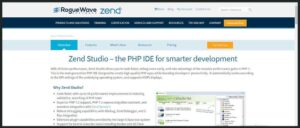
Zend Studio, which has s times faster performance than any other PHP tool, allows you to code faster and debug more easily. Designed to create high-quality PHP apps, this next-generation PHP IDE enhances developers’ productivity. It has powerful debugging capabilities with Xdebug, Zend Debugger, and Z-Ray integration, while it can deploy PHP applications on any server including cloud support for Amazon AWS and Microsoft Azure. Today’s it’s one of the most highly regarded PHP coding software.
Zend Studio offers highly sought-after integration with debug tools like Xdebug, Zend Debugger, and Z-Ray. The numerous debugging options help you get more cutting-edge debugging capabilities. And for quicker progress, Zend Studio automatically spots and authenticates your PHP binary or local server settings.
If you’re using Zend Server, then the combination of Zend Server, Z-Ray, and Zend Studio considerably enhances debugging. Z-Ray allows you to recognize concealed bugs and application performance problems that no debugger could ever catch. Open a debugging or profiling session directly from Z-Ray and use the tight integration with Zend Studio to rectify the code and performance issues.
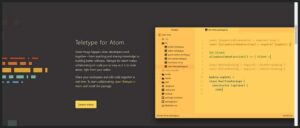
Built by GitHub, Atom is the latest text editor. With tons of plugins and packages to expand its functionality, Atom is an accurate cross-platform alternative with support for Windows, Red Hat Linux, OS X, Debian Linux and Fedora 22+. Installing Atom is quite simple and it can work across all leading operating systems such as Linux, Windows, and macOS.
Prebuilt versions of Atom are available for OS X 10.9 or later, Windows 7 or later, RedHat Linux, and Ubuntu Linux.
Yes. Atom is MIT licensed and the source is easily available from the atom/atom storehouse.
You can contribute by creating a package that adds something great to Atom!
In the same way that total usage information is vital when developing a web application, it’s just as significant for desktop applications.

Developed in 2000, Komodo IDE is one of the best PHP MySQL development and functional tools. Most of the functionality of Komodo is distinctive from the Python interpreter. Using Mozilla and Scintilla as its foundation for their rich functionality, Komodo features and support similar languages. Thanks to its many extensions and other features like swift bookmarking, smart language detection, and document object model viewer, Komodo has proved to be a hugely successful PHP tool.
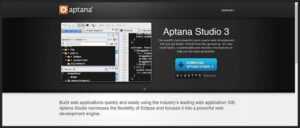
Built by Aptana Inc in the year 2014, Aptana Studio is one of the best open source PHP development tools. It is simple to download from the web and accessible to all absolutely free. The tool comes with Syntax Error Annotations and has a built-in PHP server. In addition, it supports DOM and CSS, as well as code formatting and auto indexing.
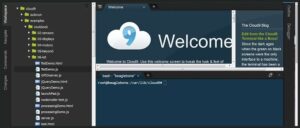
Along with JavaScript, Python, and PHP, Cloud9 comes pre-packaged with important tools for a number of programming languages, obviating the need for installing files for your development machine to start new projects. Since your Cloud9 IDE is cloud-based, you can carry out your projects from your home, office, or anywhere if you have the internet connectivity. The platform offers a perfect experience for developing serverless applications allowing you to directly define resources, debug, and switch amid local and remote execution of serverless applications. Cloud9 helps you swiftly share your development environment with your team while allowing you to pair program and monitor every input on a real-time basis. Also, it allows you to code with just a browser while building serverless applications effortlessly.
Choosing the right development tools is only part of the equation; how they are applied to real business challenges is what truly matters. See how Arpatech leveraged its development expertise to build a seamless fiat and crypto transactions platform and completely overhaul a license renewal system for a client in need of digital transformation.
At Arpatech, our experienced developers utilize the latest PHP technologies, frameworks, and development environments to deliver robust web solutions tailored to business needs. Contact our team today to get started on your next PHP development project and bring your vision to life.


Before we begin, please solve this quick math check to confirm you're human, and you'll be all set to start chatting with our AI assistant.
Stay connected with us to receive the latest information, updates, and insights from our world of innovation.
By entering your email address you will receive promotional updates.


© 2026 ARPATECH (ADVANCED RESEARCH PROJECTS & TECHNOLOGY)